
Kling Image 4.0: start with one image or a coherent set
Choose the output you actually need, prepare a small image brief and keep subject details explicit. This guide connects the official model documentation with original prompts you can adapt.
Open the official user guideWhat the official guide lists
Kling’s Image 4.0 user guide, dated November 17, 2026, distinguishes a default single-image mode from a series mode. Its specifications list 2K, 4K and 8K output, up to ten input reference images and series generation of up to ten images. It also describes text rendering and long-format visual creation. These are publisher specifications, not results measured for this page.
Start with the image’s job: a product detail, a poster, a storyboard or a consistent set. That choice is more useful than filling a prompt with every feature the model offers.
Choose the smallest useful output
| Your task | Starting approach | Keep explicit |
|---|---|---|
| One product hero image | One-image brief | Product shape, camera view, background and text boundaries |
| Several angles of the same product | A short series | Shared subject details and a distinct angle for each frame |
| A poster with words | One-image layout | Exact copy, hierarchy and where each text block belongs |
| A storyboard | A small planned set | Recurring characters, visual style and what changes in each frame |
These are suggested starting approaches. Begin with a small output before committing to a large set: a mistake in the common brief can otherwise appear in every image. Keep a written list of details that should remain stable so you can compare the actual output with the request.
Original example: a single product image
The following fictional stationery brief is an authored example. It was not submitted to Kling, and there is no claimed generated result.
Create a square product image for a fictional cream notebook.
The notebook has rounded corners, a dark-green elastic band
and an unmarked cover. Show it closed at a three-quarter
angle on a warm gray surface. Soft light comes from the left.

Keep the notebook shape and elastic band clearly visible.
Use a calm composition with empty space above the notebook.
Do not add logos, hands, extra notebooks or promotional text.
The intended use is a small website product card.
If you add a reference image, explain which properties it should control. “Use the reference” can mean shape, color, style or framing. A useful instruction might preserve the notebook’s shape and band placement while allowing a different background. Check what changed in the returned image before refining another part.
Original example: plan three related images
A short series benefits from a common specification followed by a separate instruction for each frame. This example describes three fictional product visuals; it is not a reproduction of the official guide’s examples.
Create three related images of the same cream notebook.
Shared details: rounded corners, dark-green elastic band,
unmarked cover, warm gray setting and soft left-side light.
Keep the notebook design consistent across the set.

Image 1: closed notebook, three-quarter front view.
Image 2: closed notebook viewed from above, band visible.
Image 3: notebook open to blank cream pages, with the green
band visible beside the back cover.

Use matching lighting and color treatment. No logos, extra
stationery, hands or written words. Give each image its own
clear composition rather than making a collage.
Inspect each image on its own and as part of the set. A consistent palette is useful, but the product’s shape and recurring details also need attention. If the open view introduces a different binding or cover, revise that specific requirement instead of changing the entire style description.
For text-heavy images, write the copy first
The official guide includes text and layout capabilities. For a poster or long image, supply the exact words and distinguish headings, supporting text and labels. Draft the copy before generating the visual so a wording problem does not become a repeated image-editing task.
For a fictional workshop poster, a compact text plan might specify a title, date, venue and one action. Keep those fields separate from instructions about colors or composition. After generation, read the returned text character by character, including dates and punctuation. A plausible layout does not establish that the copy is correct.
Three illustrated prompt ideas
The images below are Kling’s published examples. Each prompt is our shorter rewrite for practice, not the exact prompt used to produce the accompanying image. Follow the source link for the original.
Prompt idea: an everyday pet photograph
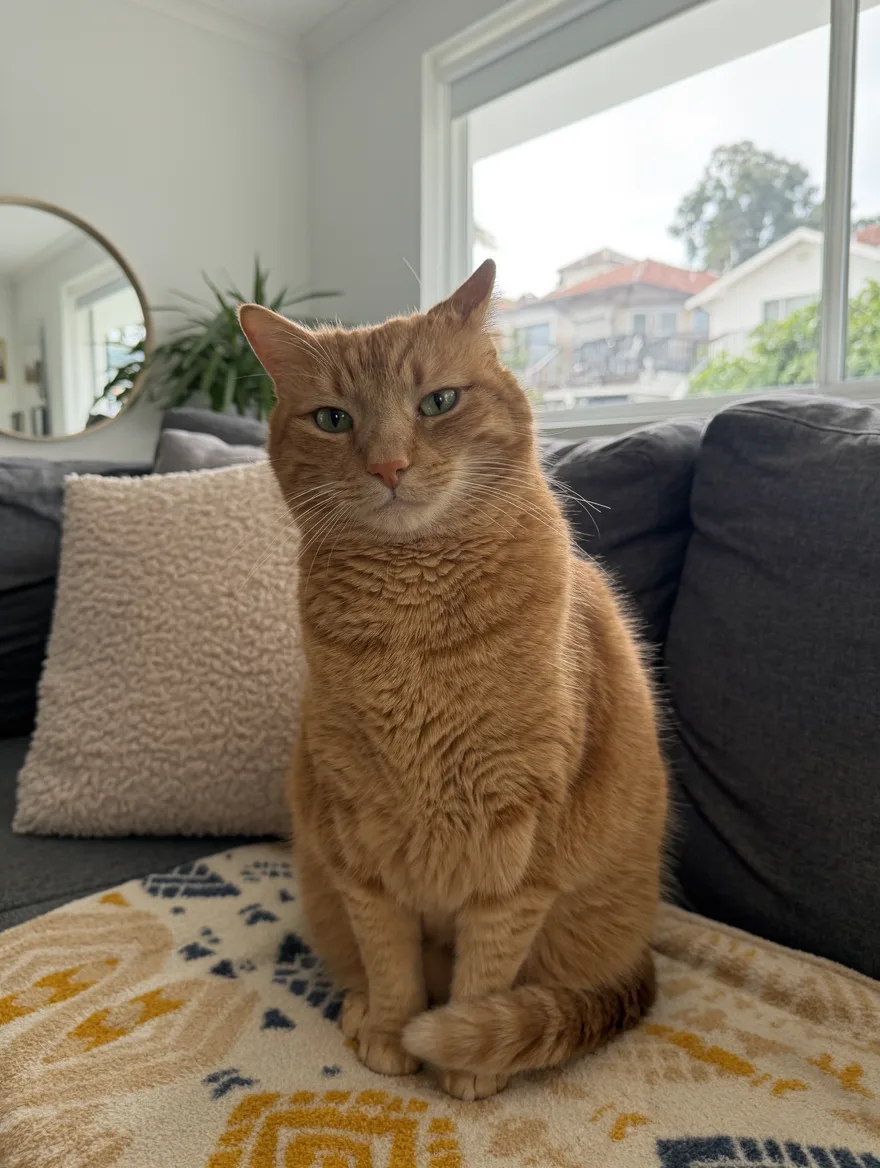
Photograph a ginger cat seated on a charcoal couch beside a
window. Include a knitted cushion and patterned throw. Frame
vertically at the animal’s eye level. Keep individual hairs
visible, with gentle daylight and an informal phone-camera feel.
Prompt idea: backlit leaves

Aim a phone upward through a leafy canopy. Put a translucent
leaf in focus and let closer foliage soften into blur.
Illuminate the veins from behind. Keep the greens believable and
the afternoon atmosphere light; avoid a dramatic sunset
treatment.
Prompt idea: a cinematic chess scene
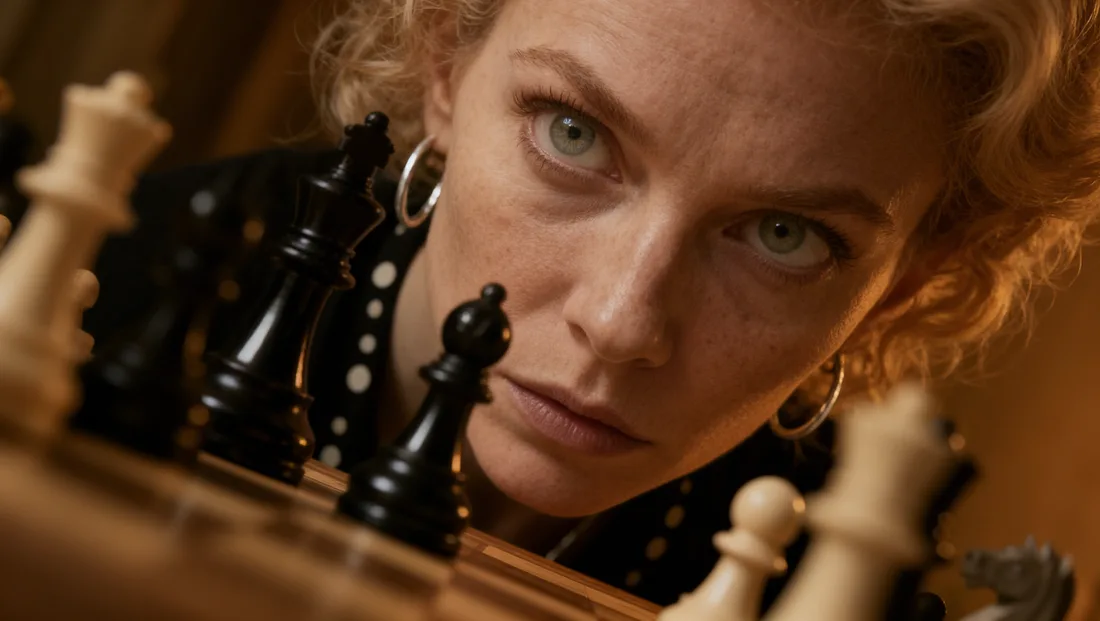
Place the camera between oversized, blurred chess pieces,
looking up toward a focused player. Tilt the composition
slightly. Keep one eye crisp and the room soft. Use amber side
lighting and subtle film grain to suggest a tense decision
during the match.
Check the interface and account you will use
The Kling developer catalog lists Image 4.0, but a catalog listing alone does not establish the exact parameters supported by every API or third-party service. Confirm the chosen interface’s model ID, resolution options, reference handling and account limits before building a workflow around them.
We have not generated images, called the API or measured speed, fidelity or consistency. Prices and account access are not established by this guide. Use the current official controls and billing information for the environment where you actually intend to generate.
Sources and update scope
Official model guide and catalog checked November 18, 2026. Features and account access can change. Prompt examples are authored or rewritten for this guide. The three credited example images come from Kling’s official guide and are served from our R2 storage; they are not independent test results.